

It’s
no
secret
that
collections
and
billing
can
be
a
dreaded
ritual
at
many
law
firms.
So
can
maintaining
the
books
in
compliance
with
legal
accounting
rules.
That’s
why
you
owe
it
to
your
firm
and
your
clients
to
make
this
as
easy
as
possible
on
everyone
involved.
8am
LawPay
can
ensure
that
you’re
doing
just
that.
This
solution:
•
Gives
your
clients
multiple
ways
to
pay,
speeding
the
collections
process
•
Seamlessly
places
funds
in
trust
accounts
and
operating
accounts
in
compliance
with
legal
accounting
rules
•
Eases
administrative
burdens
by
keeping
your
contacts
organized
and
quickly
sending
out
invoices,
among
other
features
Feel
free
to
book
a
demo
here.
(8am
Lawpay
costs
just
$20
a
month
for
unlimited
users!)
And
read
on
for
a
tour
of
this
solution.
Keeping
Up
With
Your
Clients
With
LawPay,
there’s
no
need
to
pore
over
individual
client
files
to
track
down
late
payments
or
flag
dwindling
trust
accounts.
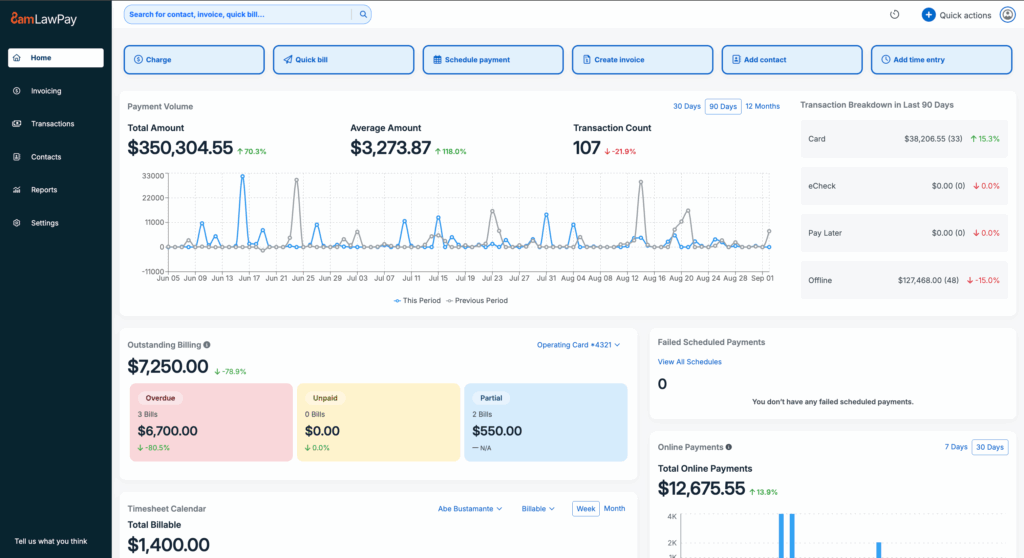
LawPay’s
opening
screen
allows
you
to
add
contacts
and
generate
invoices
directly
from
the
system.
The
main
dashboard
is
automatically
populated
as
transactions
occur,
and
it
displays
extensive
financial
wellness
metrics
for
your
firm.
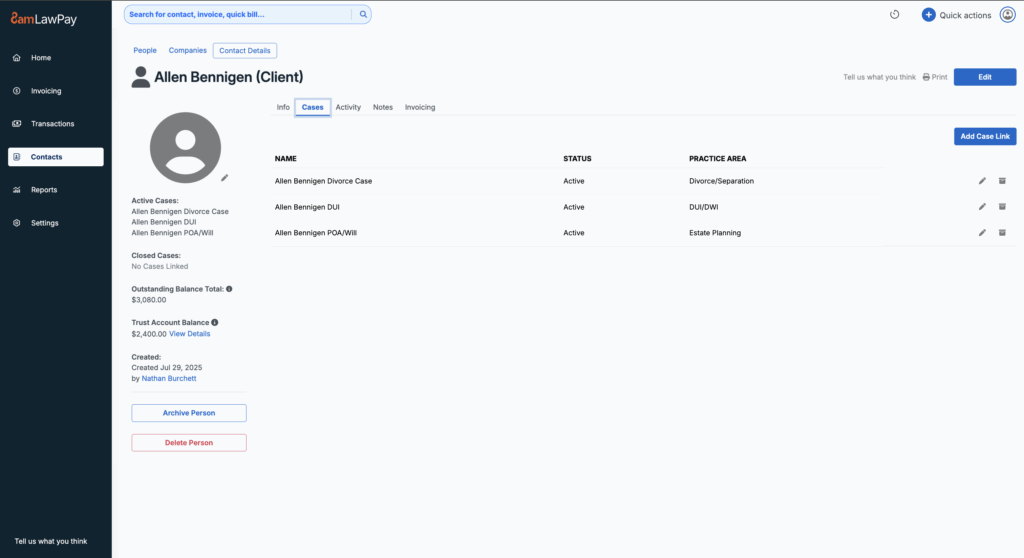
When
you
add
a
contact,
it
includes
the
client’s
financial
details,
like
trust
balance,
as
well
as
a
list
of
all
of
the
matters
involving
them.
These
numbers
also
update
automatically
as
the
system
processes
transactions.
Funds
can
be
linked
to
specific
cases,
allowing
detailed
firmwide
reporting
on
metrics
like
revenue
for
a
particular
practice
area.
The
client
tab
also
allows
you
to
see
a
detailed
list
of
history
involving
the
client,
and
to
make
notes
on
the
file,
like
“don’t
call
in
the
morning.”
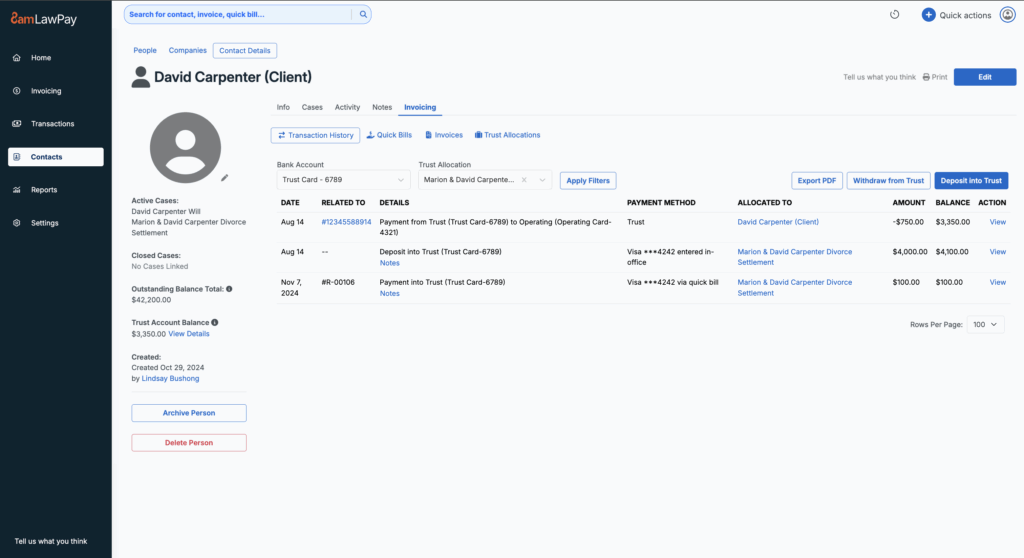
Contacts
will
also
display
an
invoicing
history
related
to
the
client.
Notably,
it
automatically
generates
a
trust
ledger,
which
updates
as
soon
as
the
account
receives
the
funds.
This
tab
also
allows
you
to
deposit
funds
into
a
client
trust
account
and
process
a
client’s
credit
card
on
their
behalf.
Cards
can
be
stored
in
a
card
vault,
which
saves
payment
information
for
future
billing.
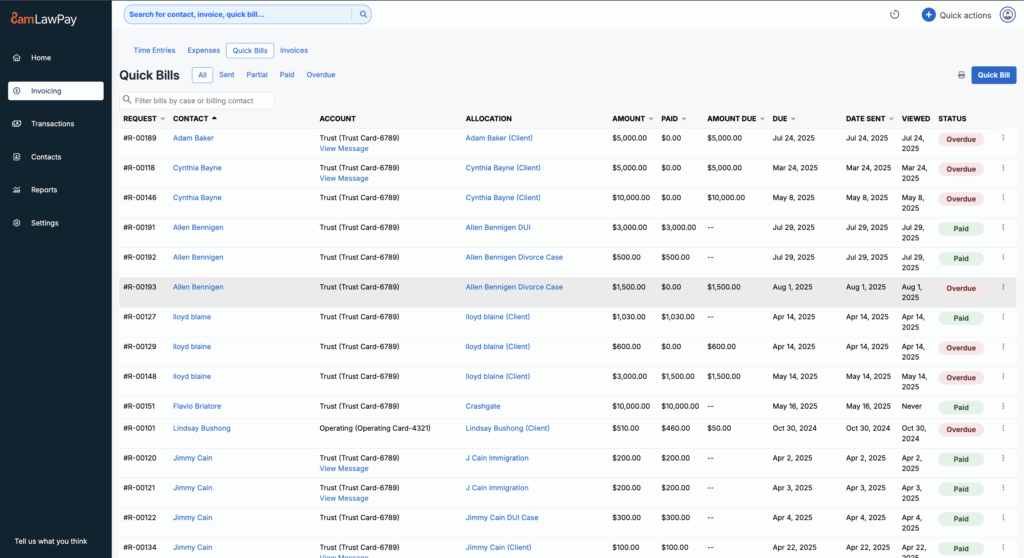
Invoicing
and
Payments
The
invoicing
function
is
a
relatively
new
feature
of
LawPay.
It
will
show
and
organize
all
of
the
firm’s
existing
invoices.
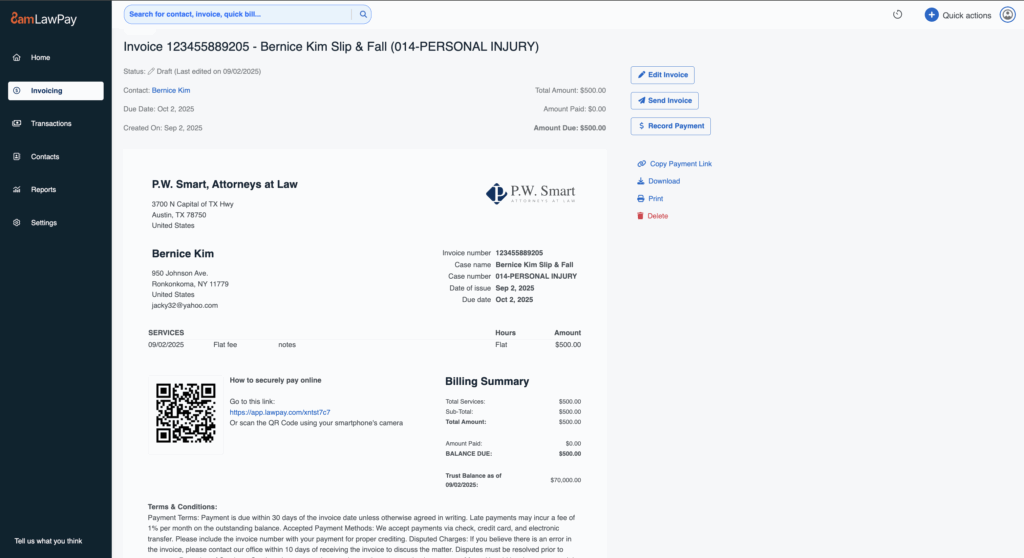
When
you
open
a
particular
invoice,
it
autogenerates
a
document
that
can
be
shared
with
the
client.
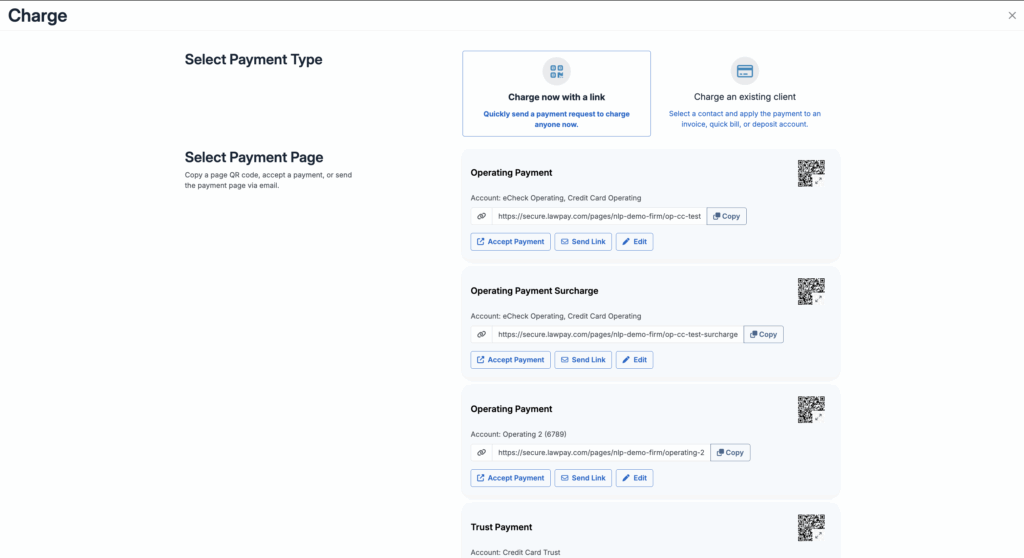
When
it
comes
to
collecting
on
the
invoice,
the
payment
pages
are
a
particularly
popular
feature.
These
give
your
clients
multiple
ways
to
quickly
pay,
which
speeds
and
simplifies
the
collections
process.
The
firm
can
text
and
send
QR
codes
to
clients
requesting
payments,
and
clients
can
submit
payments
by
credit
card
or
e-check.
There’s
also
a
“pay
later”
option
with
third-party
financing.
Payments
are
auto-reconciled
to
the
matters
and
client
accounts.
The
firm
can
also
pay
invoices
out
of
a
client’s
trust
account,
and
all
relevant
documents
will
be
reconciled
and
updated.
Additionally,
there’s
a
scheduled
payments
option,
which
will
automatically
charge
on
a
timed
basis,
appropriate
for
subscription
services
or
fractional
GC
arrangements.
Tracking
Your
Time
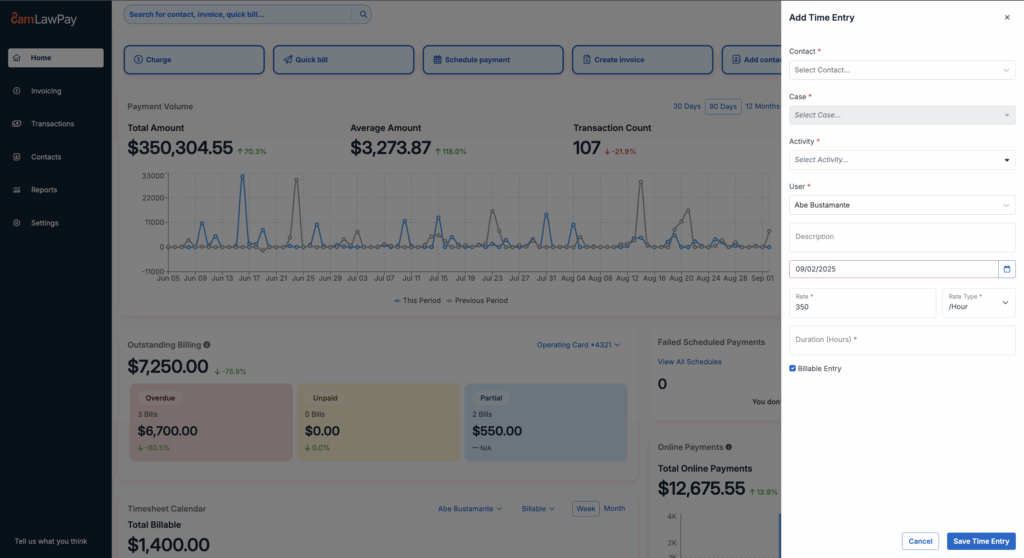
LawPay
also
allows
you
to
enter
the
time
worked
on
the
case
with
one
click.
Time
entries
will
automatically
be
pulled
into
the
relevant
client
invoices,
which
can
then
be
applied
to
the
appropriate
trust
or
operating
account.
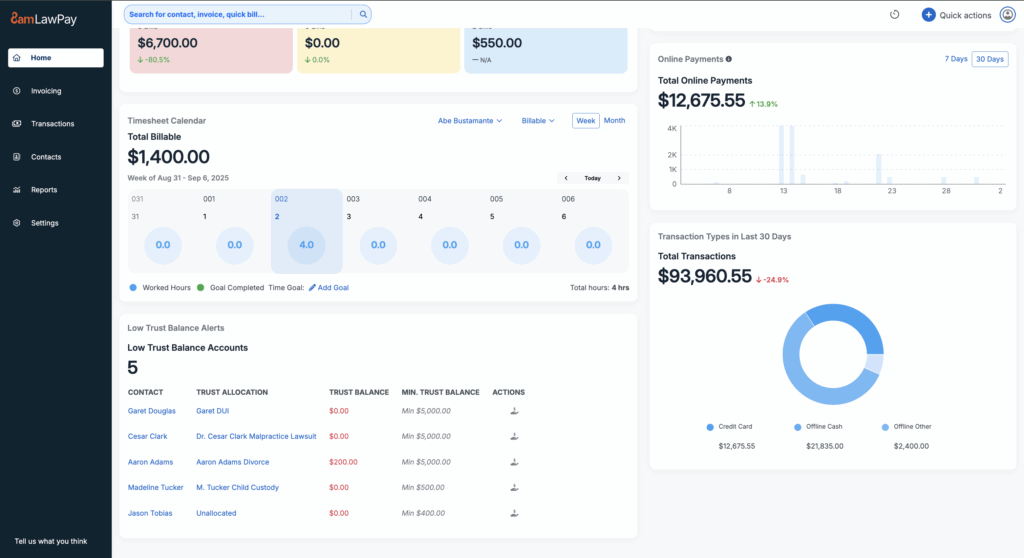
The
main
dashboard
also
displays
live
updates
of
time
entries
by
lawyers
in
the
firm.
Notably,
it
will
warn
you
if
a
client’s
trust
balance
falls
below
a
certain
amount.
This
feature
means
you
don’t
have
to
stay
on
top
of
individual
client
files
to
track
late
payments
or
low
balances.
LawPay
can
also
easily
be
integrated
with
the
8am
MyCase
practice
management
system
without
the
need
to
transfer
data.
Take
Your
Next
Step
Want
to
simplify
your
firm’s
finances,
get
paid
faster,
and
spend
less
time
chasing
payments?
Feel
free
to
book
a
demo
here.
(8am
LawPay
costs
just
$20
a
month
for
unlimited
users!)